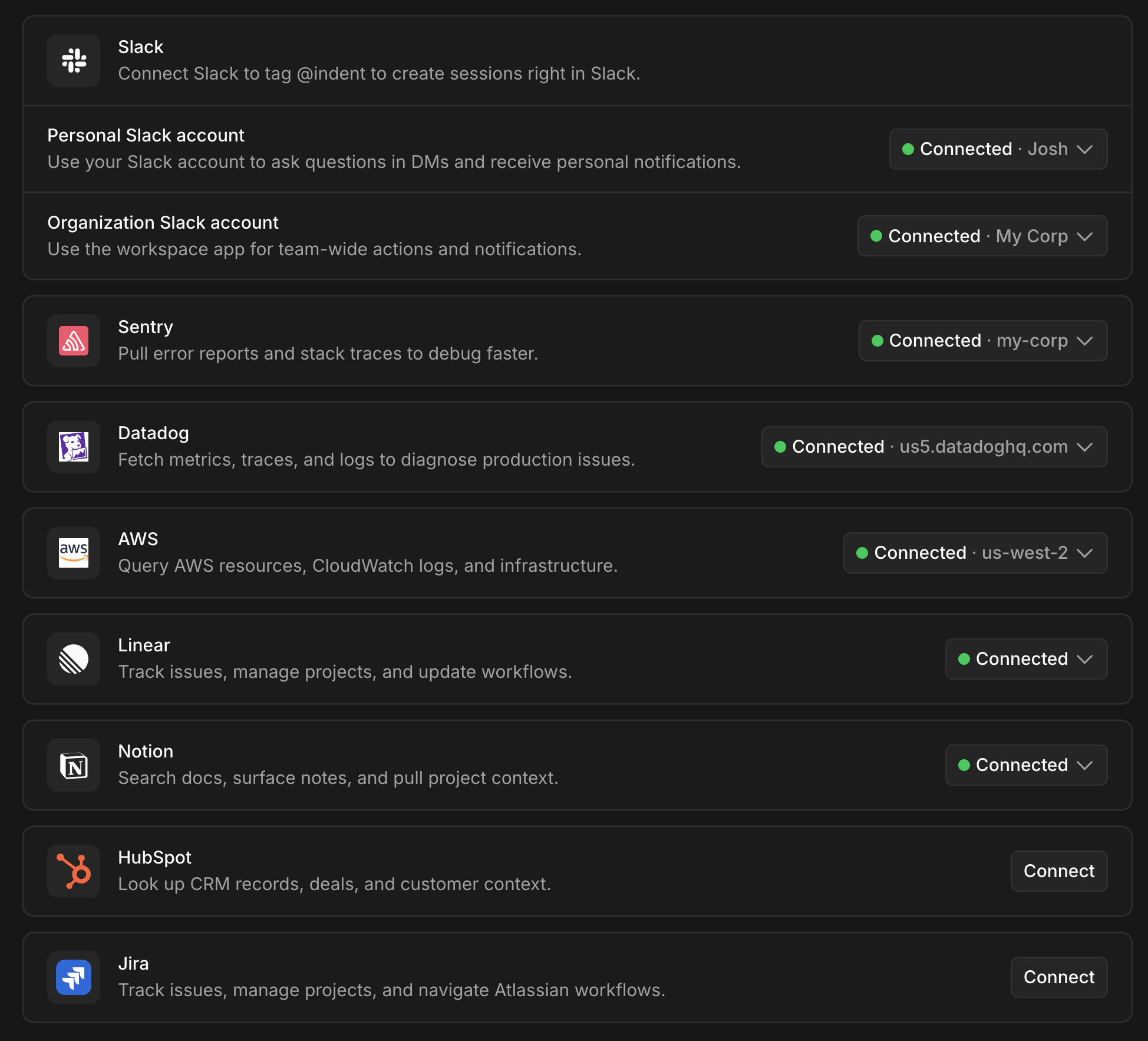
Now that you have a repository and Slack connected, integrations are what make Indent genuinely useful for your day-to-day work. Add them from Settings > Integrations — each one unlocks a different set of capabilities. Settings > Integrations page showing available integrations

Investigate production issues

Connect Datadog and Sentry so Indent can pull logs, traces, metrics, and error reports during an incident. Paste a Sentry link or mention @indent in an incident channel and it starts root-causing immediately. See On Call for what this looks like in practice.

Query and analyze your data

Connect your databases — PostgreSQL, BigQuery, Snowflake, MySQL, or ClickHouse — and Indent can query them directly. Ask a question in plain English, get back results, charts, and written analyses. See Data for more.

Work with your cloud infrastructure

Connect AWS to give Indent access to your resources, CloudWatch logs, and infrastructure. Useful for debugging, investigating alerts, and infrastructure tasks.

Pull in project context

Indent also integrates with tools like Linear, Jira, Notion, and HubSpot — connect them to give Indent access to your tickets, docs, and project context.

Connect anything else

For internal tools or services not listed above, you can connect them as Custom MCPs — any tool your team exposes through an MCP server becomes available to Indent. Start with one or two integrations that match your most common workflows, and add more as you go.