

@indent in a thread, DM Indent directly, or subscribe a channel so Indent triages every incoming message — no context switching to a separate app required.
Teams use Indent in Slack to:
- Investigate alerts and incidents the moment they fire in an on-call channel.
- Ask questions about a codebase, PR, or production database without leaving the conversation.
- Kick off coding tasks (open a PR, fix a failing test, draft a migration) from a thread.
- Get a single assistant that can read your repos, databases, dashboards, and tickets — and reply with answers, charts, and PRs.
How Indent works in Slack
Once installed, Indent participates in Slack the way a teammate would: it reads the message you sent it, runs whatever tools it needs (code search, SQL, browser, ticket lookups), and replies in-thread with its findings. Long-running work shows up as a linked Indent session you can follow along with in the app.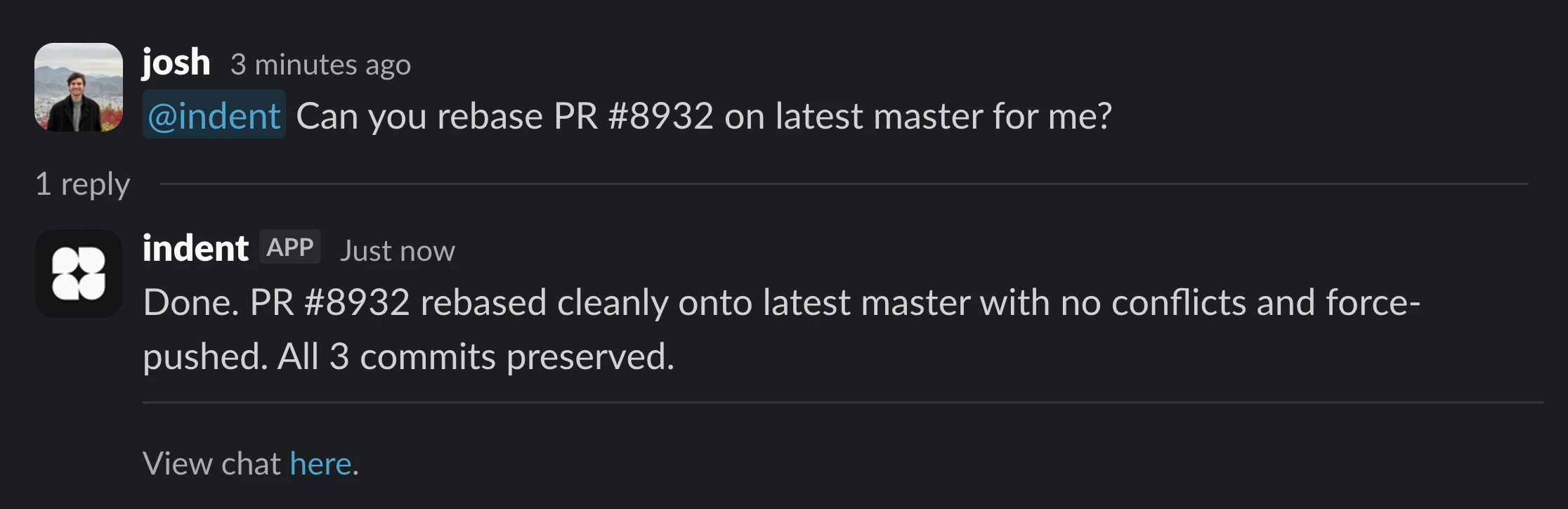
- Mention
@indentin a thread to start an investigation, ask a data question, or hand off a coding task right from the conversation it came up in. - DM
@indentfor one-off questions or tasks that don’t belong in a channel. - Subscribe a channel by sending
@indent /subscribe [prompt]. Indent then responds to every new message in that channel, spawning an independent session per message — useful for alert channels where each page deserves its own triage. Send@indent /unsubscribeto disconnect.
Install Indent for Slack
Indent requires an Indent account, so installation is a two-step flow rather than a one-click “Add to Slack” button.Create your Indent account
Sign up at app.indent.com. You can sign in with Google, Microsoft, or GitHub.
Connect your Slack workspace
From inside the Indent app, open Settings → Integrations and click Connect next to Organization Slack account. If your workspace requires admin approval for new apps, Slack will route the request to an admin; otherwise the install completes immediately. Once installed, every user in your workspace can use Indent from Slack.
After install: what to try first
A few starting points once Indent is in your workspace:- In an alert channel:
@indent /subscribe investigate this alert and post your findings. Indent will triage every new alert that arrives. - In a PR review thread: mention
@indentwith a question about the diff (@indent why did this query slow down?) and Indent will read the PR and reply. - In a DM: ask Indent to do something concrete —
find the chart that shows daily signups,open a PR to bump our datadog client to 3.x,what changed in the auth middleware this week?.
- Code — work with your repositories.
- Data — query databases and dashboards.
- Review — automatic PR review.
- On-call — triage alerts in Slack and PagerDuty.