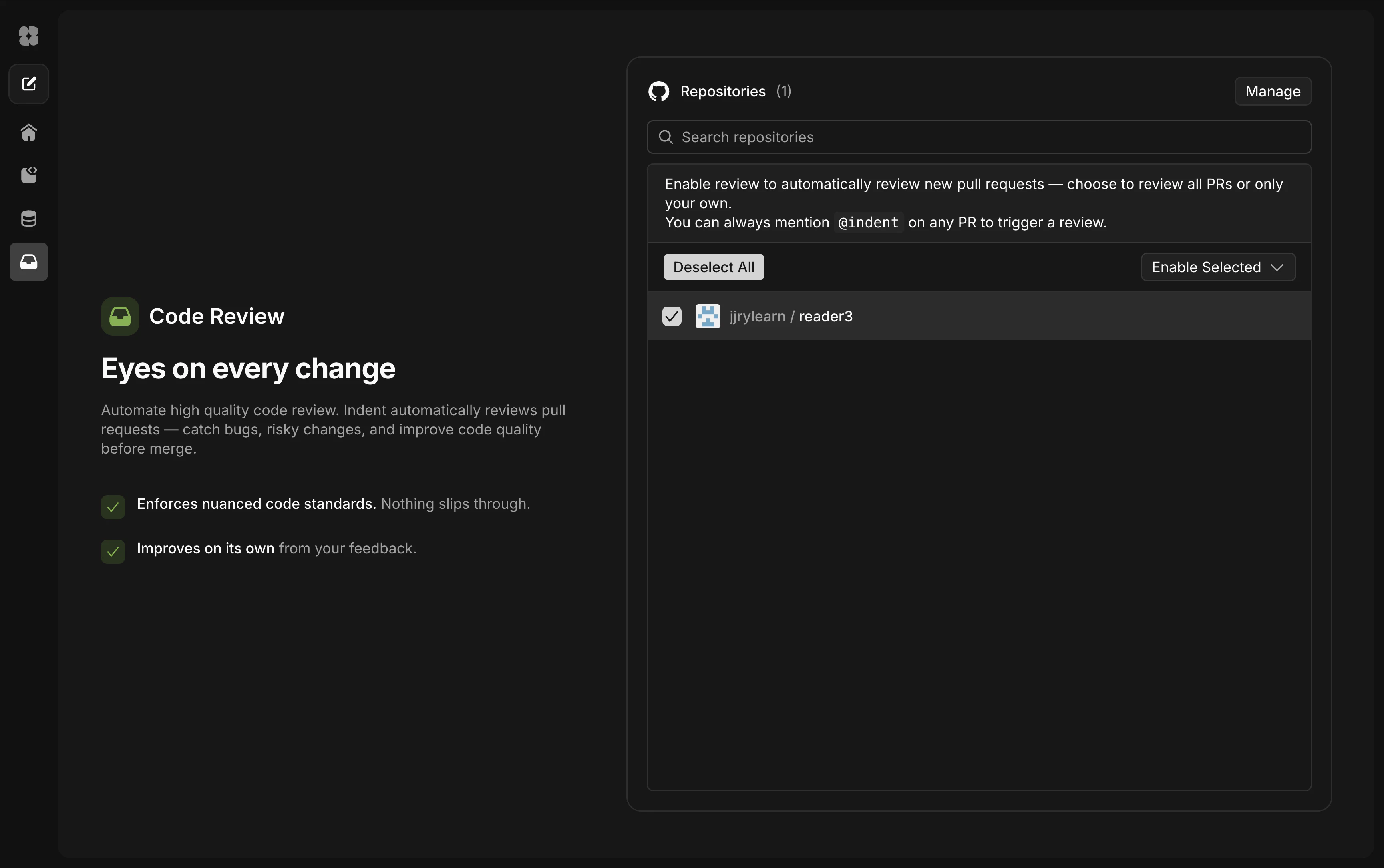
1. Enable review on your repositories
Open the review dashboard and select the repositories you want Indent to review. For each repo, choose whether to review all PRs or only your own. You can always mention@indent on any PR to trigger a one-off review, even on repos where automatic review isn’t enabled.
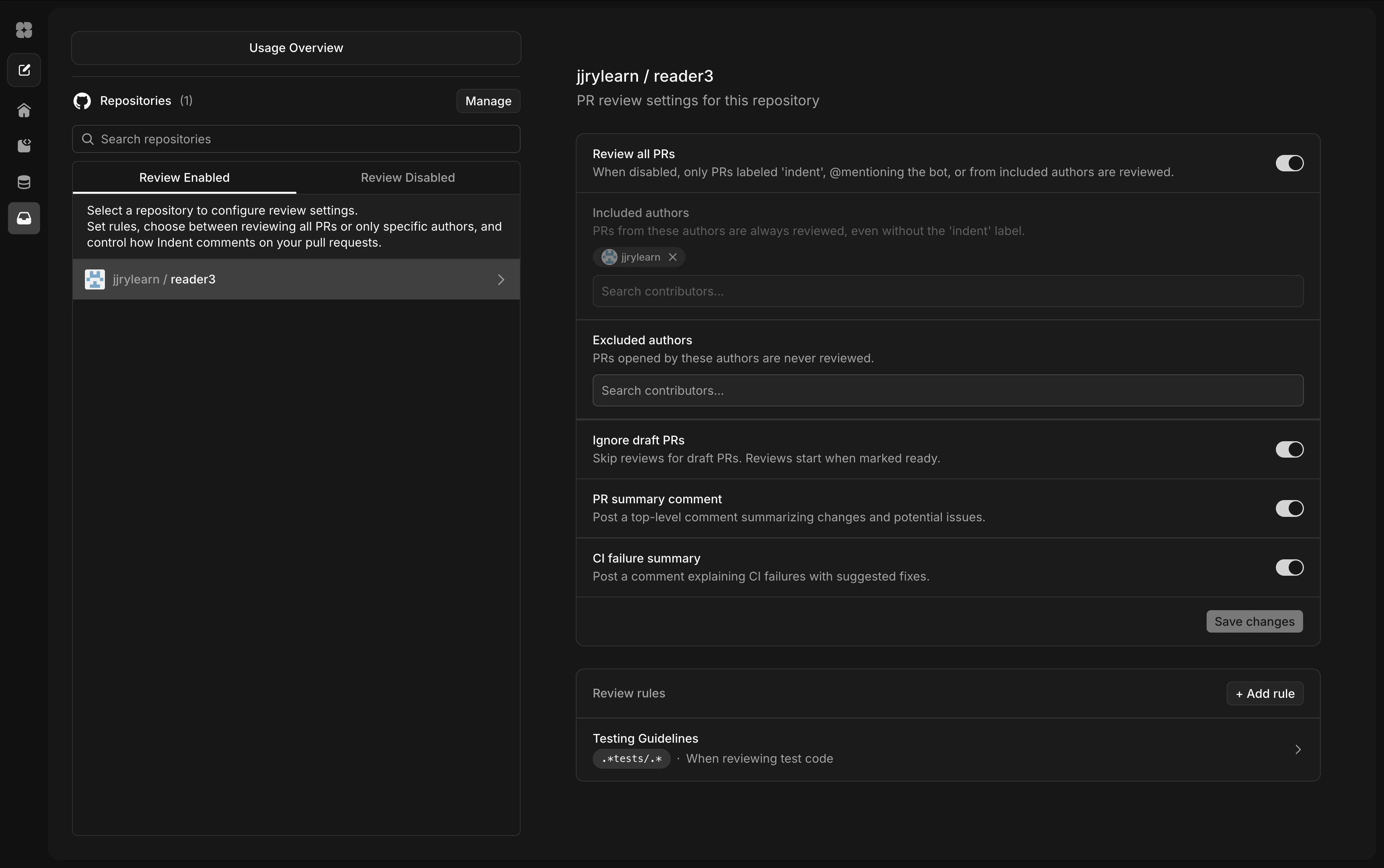
2. Configure review settings
Click into a repository to fine-tune how review works. You can control:- Review all PRs — when enabled, Indent reviews PRs that are labeled
indent, that@mentionthe bot, or that come from included authors. - Included / excluded authors — choose which contributors get automatic reviews.
- Ignore draft PRs — skip drafts until they’re marked ready.
- PR summary comment — post a top-level comment summarizing changes and potential issues.
- CI failure summary — post a comment explaining CI failures with suggested fixes.
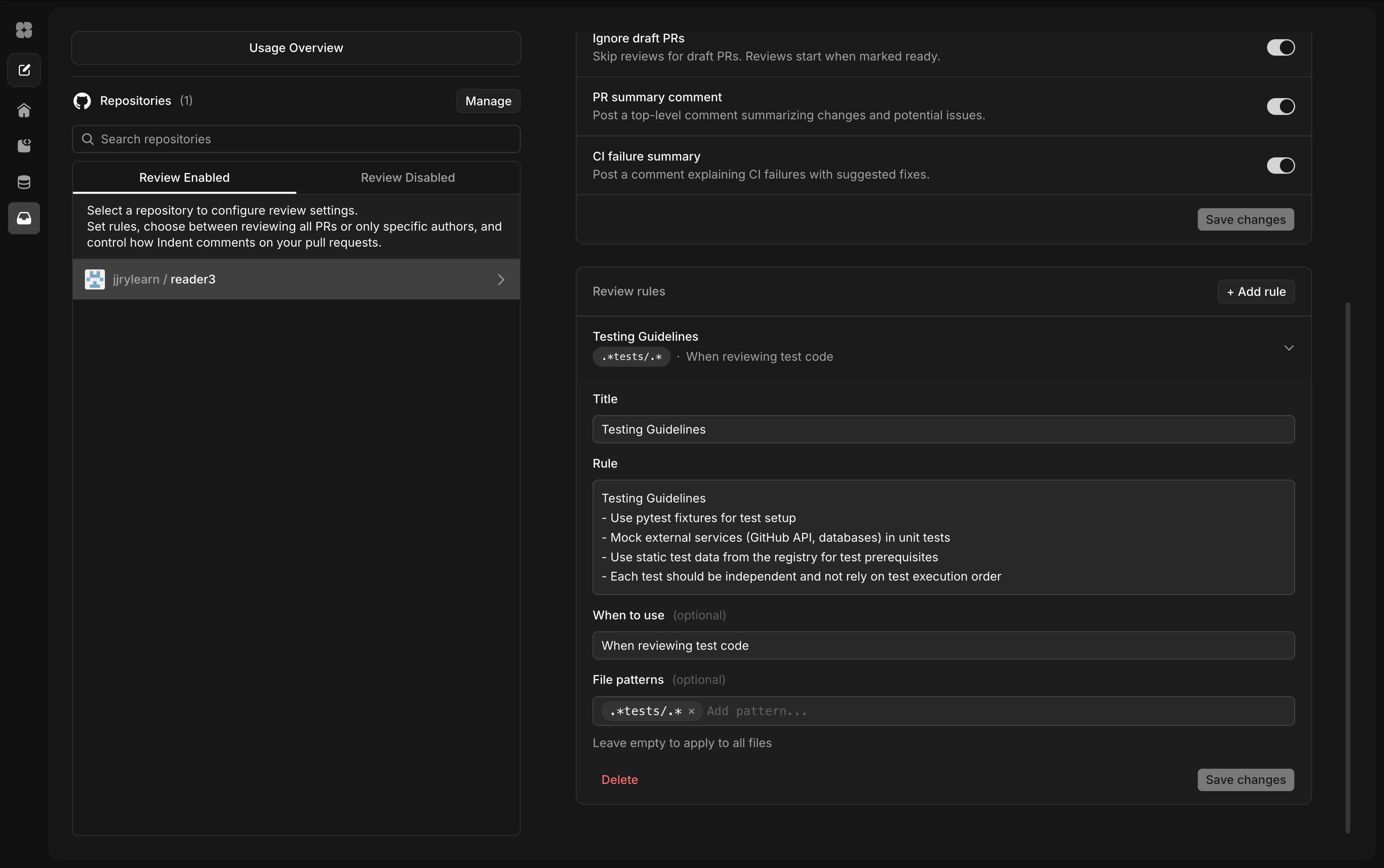
3. Add review rules
Review rules let you encode your team’s standards so Indent checks for them on every review. Click+ Add rule to create one.
Each rule has a title, a description of what to check for, an optional “when to use” hint, and file patterns to scope it to specific files. For example, you might add a “Testing Guidelines” rule scoped to **/tests/** that reminds Indent to check for proper fixtures and mocking patterns.
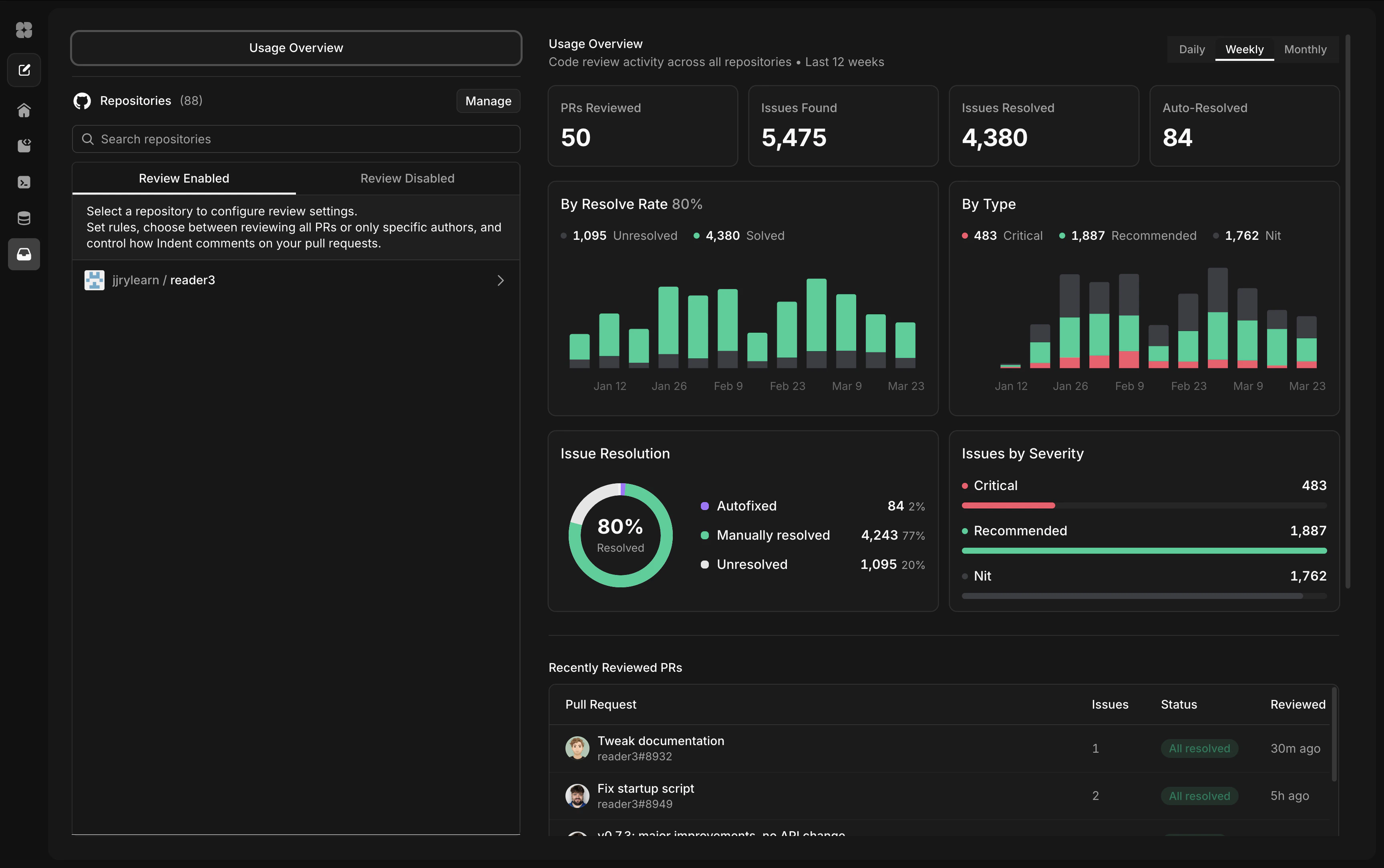
4. Track review activity
The usage overview shows how review is working across your repositories — PRs reviewed, issues found, resolve rates, and a breakdown by severity. Use it to see whether reviews are catching real issues and how quickly they’re being resolved.