

How the sandbox environment works
Indent builds a reusable sandbox snapshot for your repository from the configuration you define here.- the setup script runs at build time and prepares the sandbox image
- background processes start automatically when a new sandbox is launched for a chat
- environment variables are injected into the sandbox so the app can run with the right configuration
- after a successful build, you can use a live browser and terminal connected to the sandbox to verify that everything works
1. Connect GitHub in settings
Go toapp.indent.com/settings/github and click Connect.
From there, Indent takes you through the GitHub authentication flow and the GitHub App installation flow so you can grant access to the repositories you want to use.
Once that is complete, the page shows a repository list for the repositories your GitHub setup has access to.
2. Open Environment Setup for your repository
In Settings > GitHub, find the repository you want to configure and clickSetup Environment.
This opens a dedicated Environment Setup page for that repository.
From that page, you can:
- let Indent set up the environment for you
- edit the configuration manually
- run builds and inspect logs
- test the resulting sandbox in a browser and terminal
- save the configuration once it is working
3. Choose how to set it up
When a repository has no environment configuration yet, the page starts with two options:Setup with IndentStart manually
Setup with Indent creates a setup chat where Indent explores the repository, writes configuration, runs builds, and guides you through the process. If it needs input, it can ask for feedback, request environment variables, or ask you to approve the configuration once it is ready.
Start manually takes you straight into the editor tabs so you can write the configuration yourself.
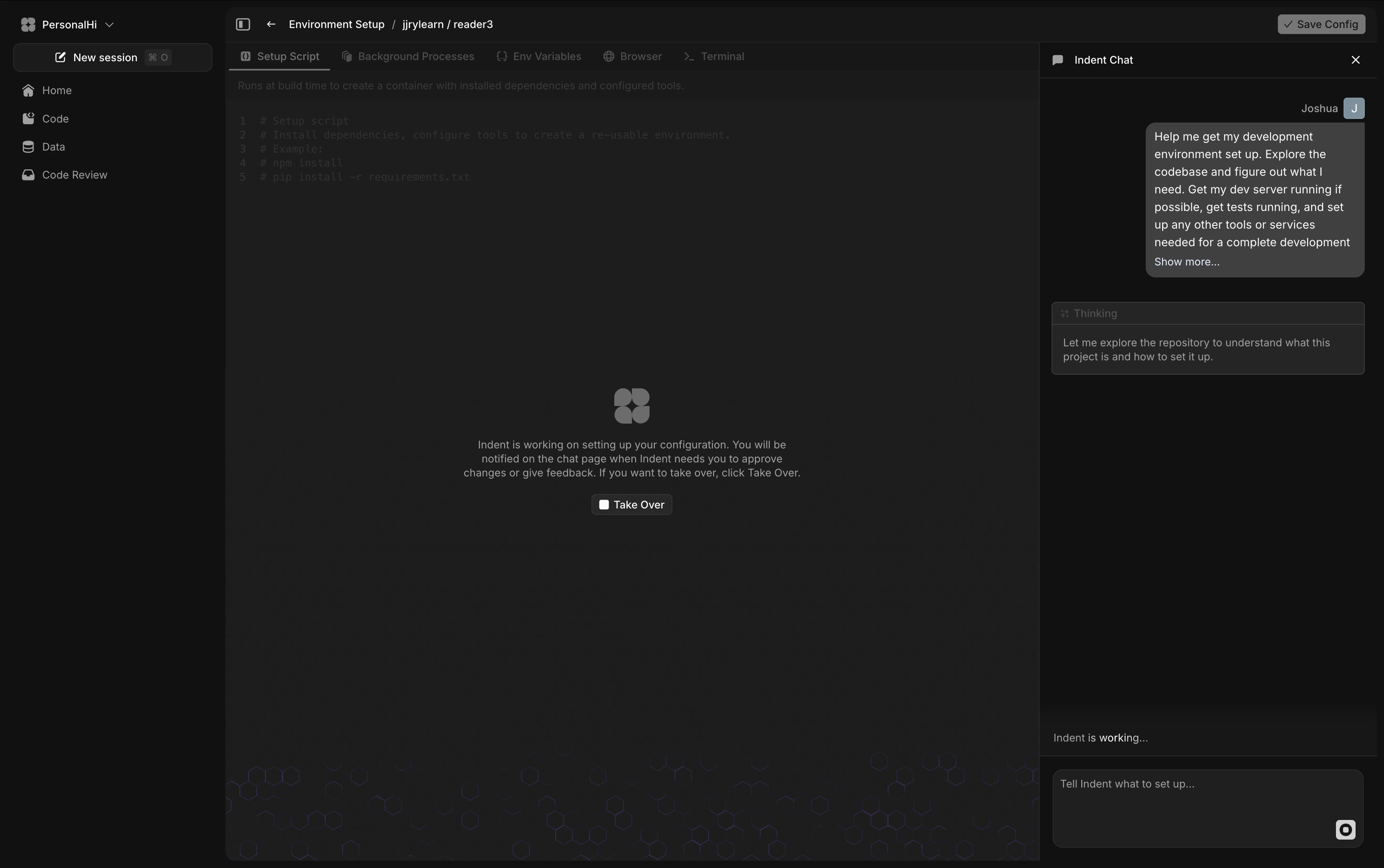
Setup with Indent, the setup chat stays attached to the page so you can watch what Indent is changing and click Take Over whenever you want to step in.
4. Configure the sandbox
The Environment Setup page is organized into five tabs:Setup ScriptBackground ProcessesEnv VariablesBrowserTerminal
Build script
TheSetup Script tab controls .indent/setup/setup.sh.
Use it for any commands that need to run at build time while Indent creates the sandbox snapshot: installing dependencies, setting up runtimes, configuring tools, or preparing assets.
Background processes
TheBackground Processes tab controls the commands that should start automatically when a new chat sandbox launches.
Use it for long-running commands such as dev servers, workers, or local services. E.g. pnpm dev, docker compose up -d.
Environment variables
Use theEnv Variables tab for secrets and runtime configuration. These values are injected into the sandbox environment and do not need to be committed to the repository.
If Indent is handling the setup for you, it can also ask for missing environment variables during the setup chat. Those values are added directly to the environment configuration rather than being exposed in chat history.
5. Run a build and test the sandbox
After making changes, useRun Build to test the draft configuration.
The page shows build logs as the environment is prepared, the setup script runs, and verification steps complete. A successful build also creates a test sandbox for the updated configuration.
At that point:
- the
Browsertab lets you verify that your dev server and UI load correctly - the
Terminaltab gives you an interactive shell plus live background process terminals - you can experiment directly in the sandbox before deciding whether the configuration is ready
Setup with Indent, Indent can handle the build for you, open the browser for testing, and let you take over if you want to make edits yourself.
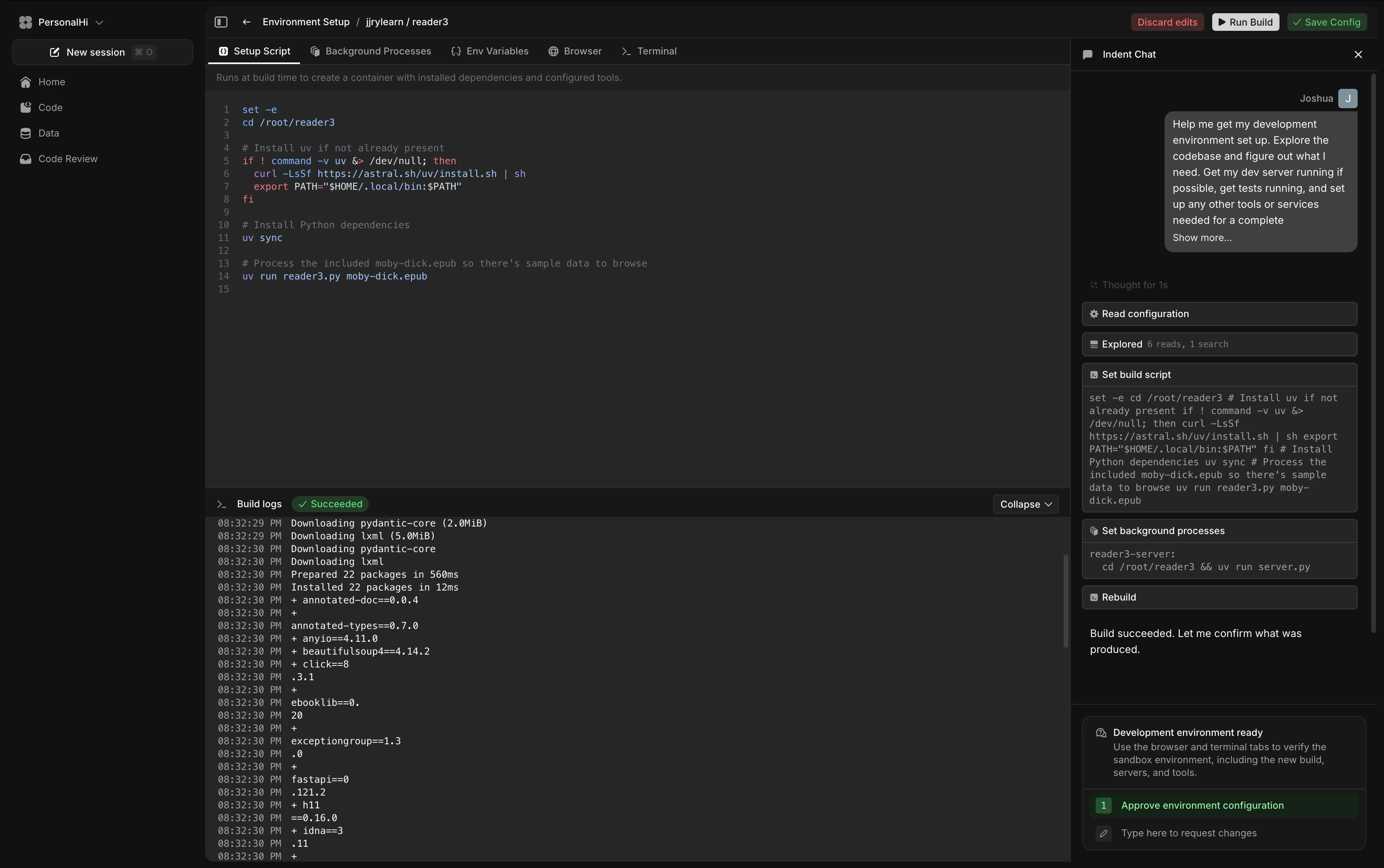
When builds run
Indent uses builds in a few different places:- during environment setup, Indent runs test builds while it configures or fixes the repo
- you can manually trigger another build after changing the setup
- cloud-enabled repositories also build from GitHub commits so chats can start from a recent image
.indent/setup/* changes on the default branch, Indent syncs that configuration from git and uses it for future builds.
6. Save the configuration
You can only save after you have a successful build. Before you save, confirm:- the app or service starts in the expected terminal
- required env vars are present
- the browser can reach your local dev URL if applicable
- basic test or health-check commands succeed