An agent swarm splits one job across several agents that run at the same time. The session you start becomes the coordinator. Indent starts the agents from it, receives a message from each agent when it finishes, and combines the results there.
Start a swarm
Start a new session and describe the job and how to split it. Name the split you want, such as “one agent per page type” or “one agent per repository”. If you don’t name one, Indent decides how to divide the work.
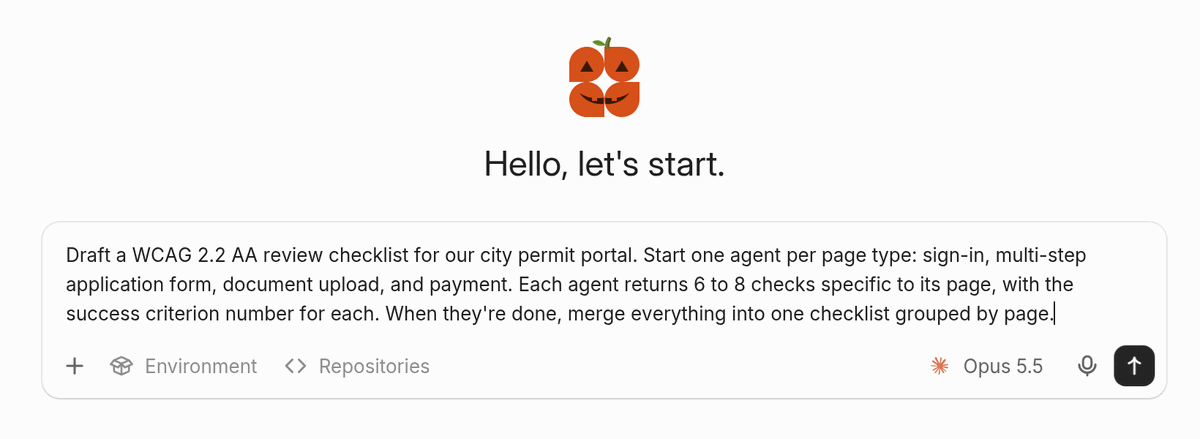
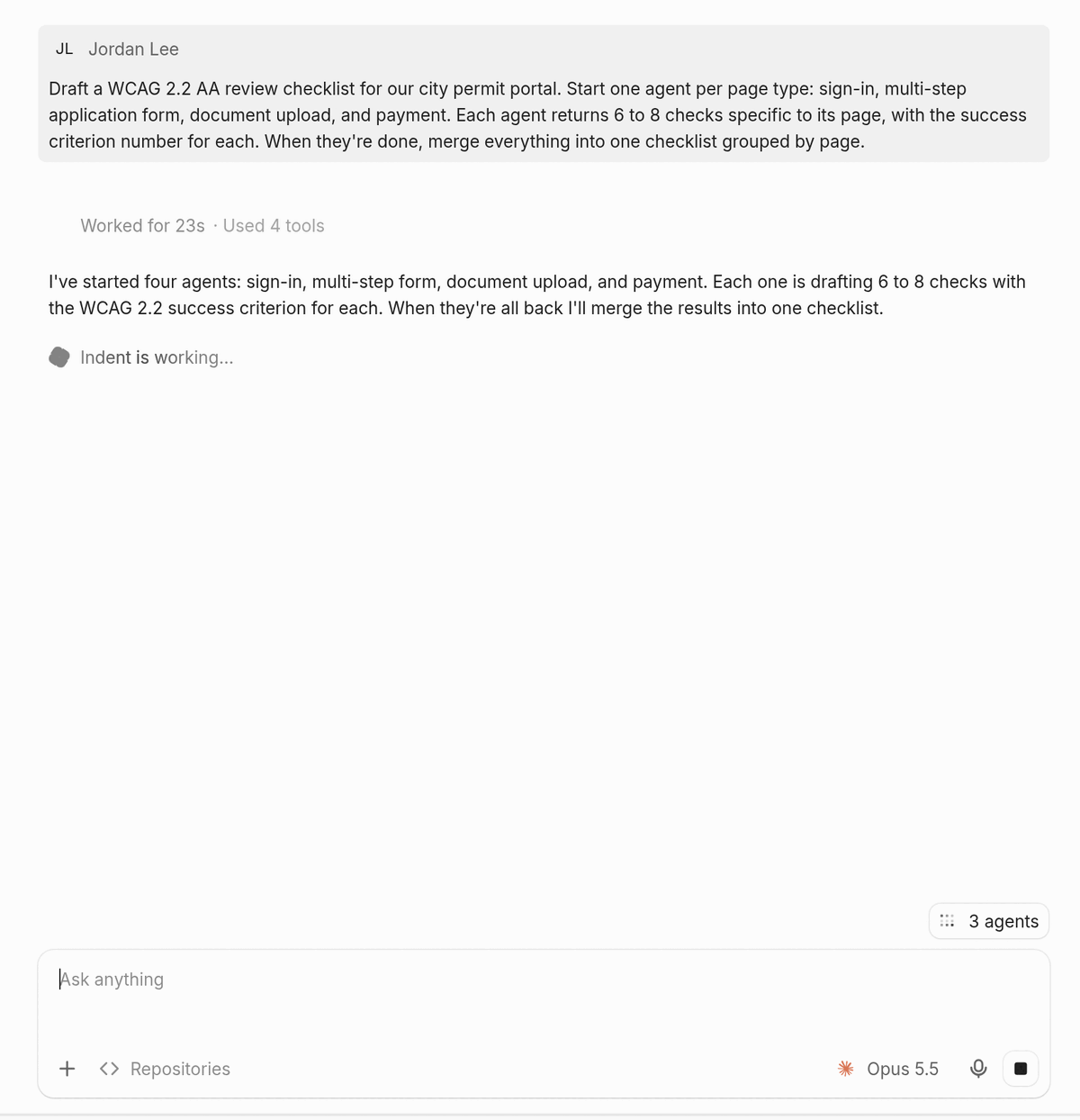
Indent replies with the agents it started. While any agent is running, a pill above the message box shows how many are still running. Select it to open the Agents panel.
Get the results
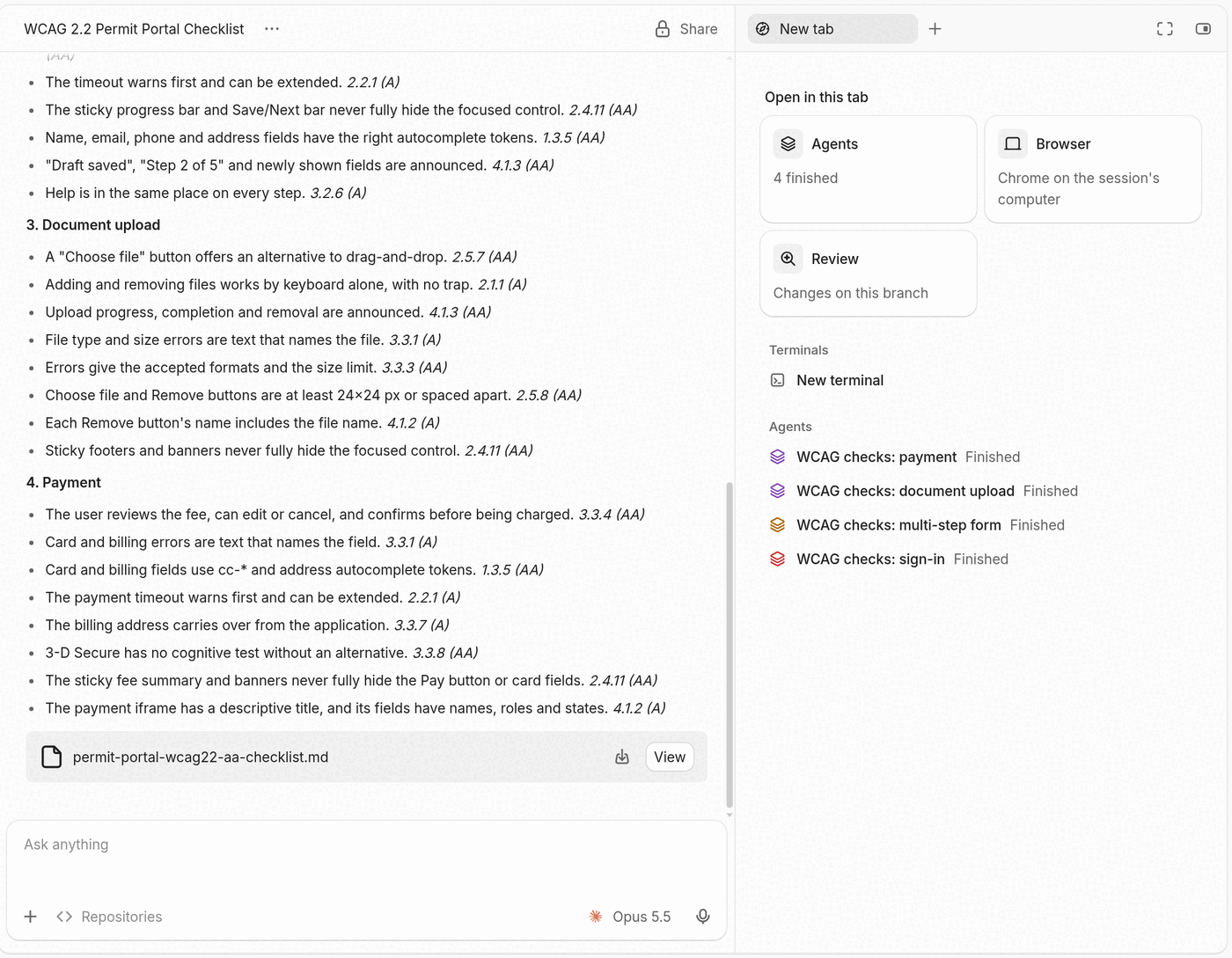
Each agent sends its result to the coordinator when it finishes. Once every agent has reported, the coordinator combines the results in one reply.
The Agents panel lists each agent with its status. Select an agent to open its session.
Message an agent
Each agent runs in its own session, which you can open and message like any other. Here the sign-in agent is told that the portal uses a CAPTCHA. The agent revises its checks and sends them to the coordinator.
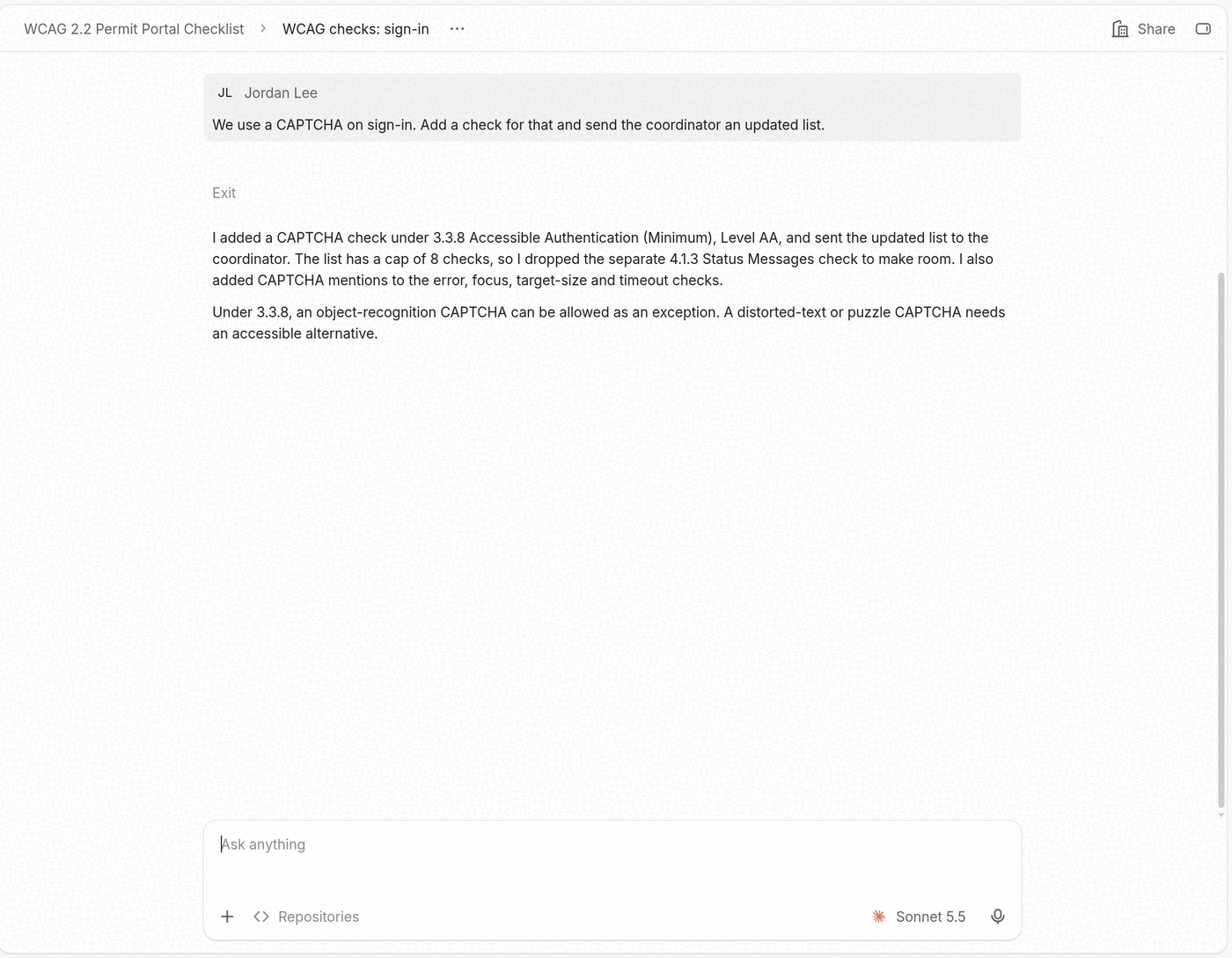
The coordinator receives the revised checks and updates its result without another message from you.
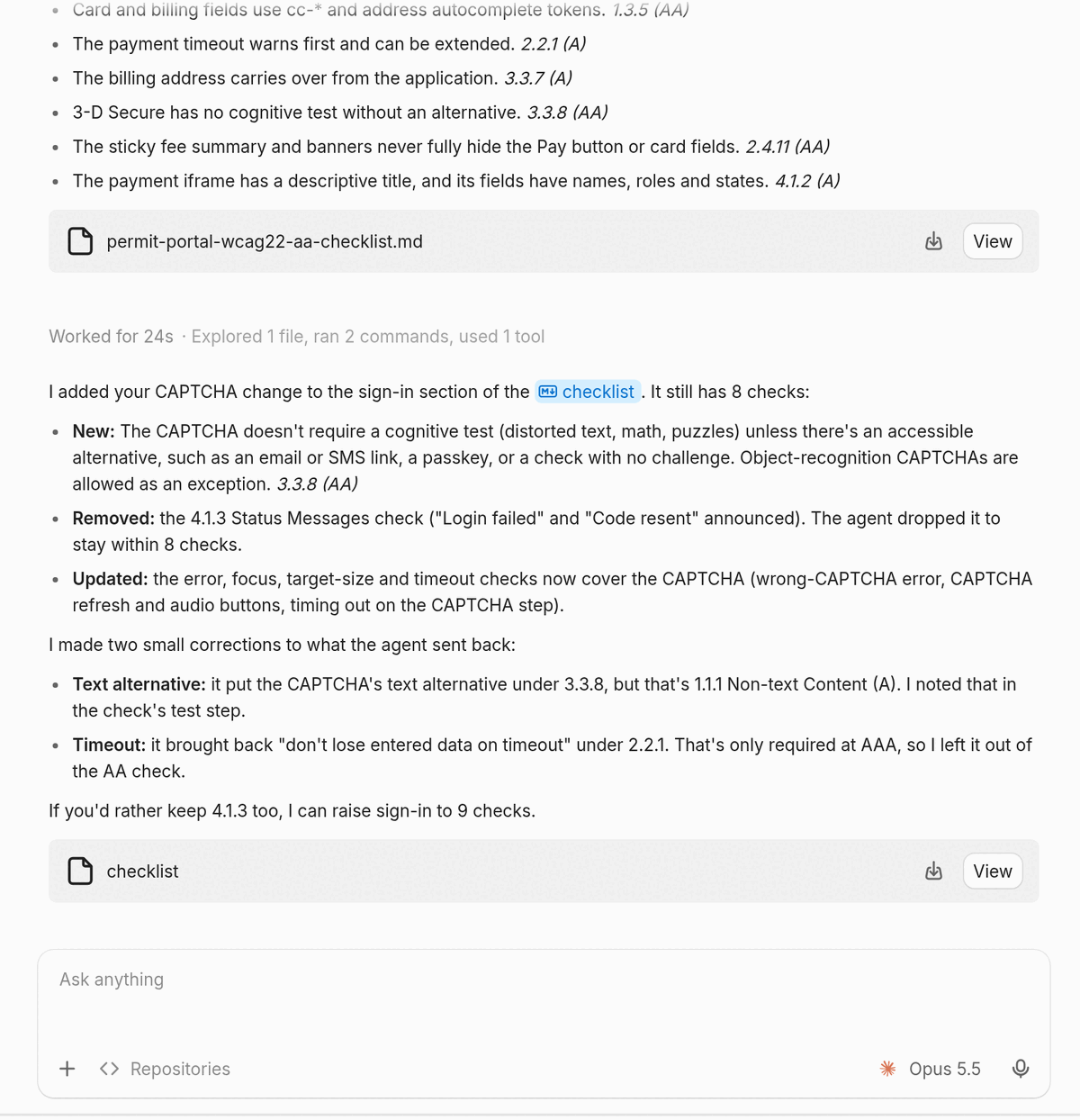
You can also steer the swarm from the coordinator. Ask for status (“where are the agents at?”), send an agent a correction, or stop one or all of them.
Choose where agents run
Indent starts each agent either on the coordinator’s computer or on a sandbox of its own:
- Agents on the coordinator’s computer use the same files, programs, and browser as the coordinator, and see each other’s changes.
- Agents on their own sandbox start from the same environment without the coordinator’s uncommitted work. They share work by pushing it to a branch. Each of these agents can start agents of its own, one level deep.
Say which you want when it matters, for example “give each agent its own sandbox.”
Choose models
Name a model and effort for the agents in your message, for example “use Sonnet at low effort for the agents.” The coordinator sets the model and effort for each agent it starts.
Code changes
When agents change code, each agent opens its own pull request. CI results and review comments on that pull request go to the agent that opened it, and the agent responds to them.
Tips
- Batch long lists. A few dozen agents that each take a slice of a list work better than one agent per row.
- Each agent is billed as a separate session. Watch usage during large runs.